

How webgate400 Works
Rewriting an IBM i ERP application from scratch may seem like the obvious answer. In practice, it is often the riskiest: multi-year projects, spiraling costs, business logic rebuilt on less stable systems. Most of the time, the final result is not worth the risk.
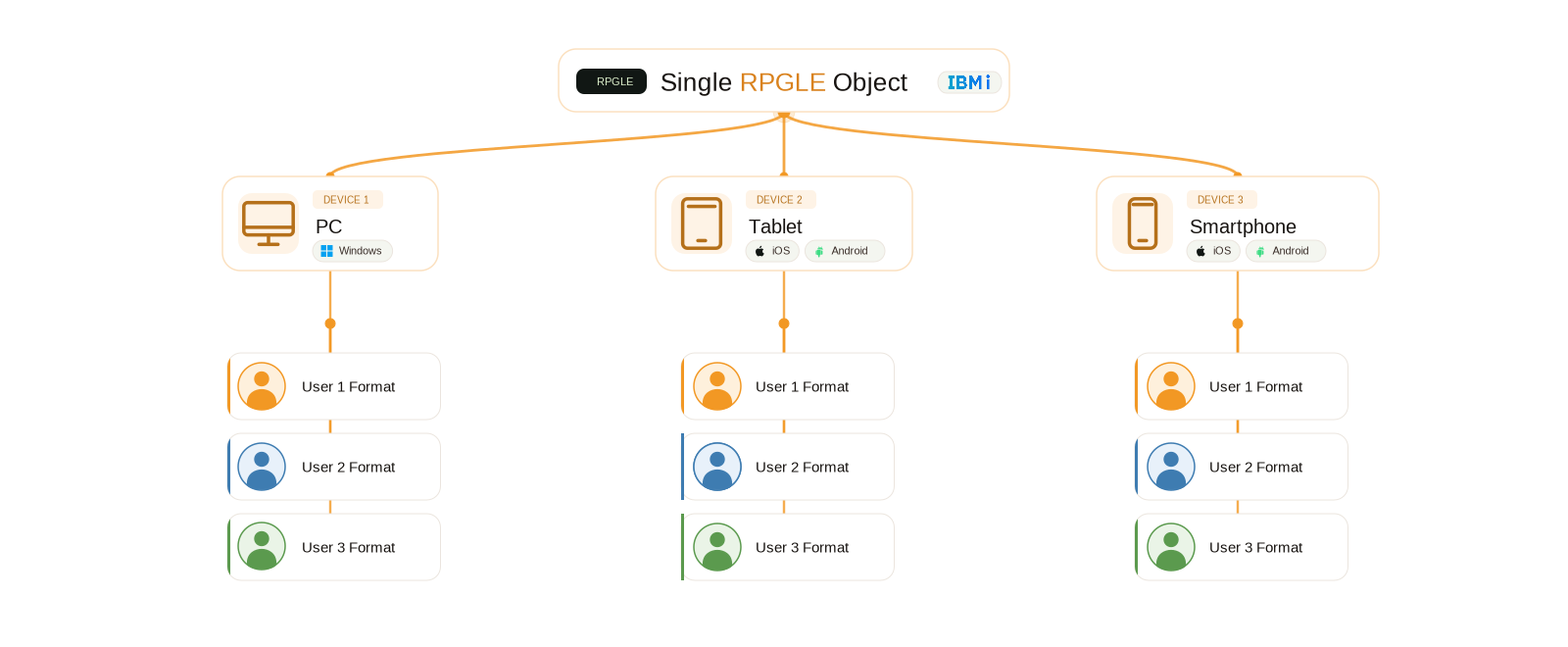
webgate400 offers a different path. It is a modern, responsive, high-performance UI development middleware that brings your RPG and COBOL applications to Windows, browsers, smartphones, and tablets without touching program logic and without leaving the IBM Power System platform.
Choosing webgate400 means protecting the investment you have made over the years in your business logic, while delivering a user interface that matches the experience of advanced web-native systems.
Lower risk, lower costs, maximum performance
How to Use webgate400
Configuration
The first step is to define the libraries containing sources, objects, and the rules for automatically recognizing options, function keys, and fixed screen elements. This one-time setup is handled through a dedicated application function.
Daily Operations
For code editing, you use the standard tools for editing screen formats and programs, with no additional work. Enhancements required for the graphical version are included directly in the sources and do not need to be reworked when changes are made. For compilation, you run the “WG” option, which is defined automatically during installation.

Multiple Business Areas, One Screen: All the Data You Need Always Within Reach
Each screen can combine multiple applications at once, putting data from different ERP areas at users’ fingertips: open orders, bills of materials, cost analysis, attachments, and more.
Application data can be synchronized through webgate400 functions, organized, and displayed as charts to provide both overview and detail, without making users search across separate applications.
A single API lets you create and deliver instant push notifications on any iOS or Android device. Logging in with the power-b app is enough to enable the device automatically. Each notification can be paired with the program relevant to the message, minimizing downtime.

Additional Automatic Features
- Print Box: to view and download all printouts produced in PDF, TIFF, TXT, and HTML format, including spool preview and print display
- WG Bookmarks: to create a list of the most-used programs, so users can access them quickly without using the menu
- WGFile Manager: to manage and transfer files between the user’s computer and the IBM Power System
- Internal Viewer: to display documents and/or web pages in a hideable, resizable side panel
- File Downloader: to export DB2/400 files in Excel, XML, and TXT format
- Data Interceptor: to save selected screen data to a text file when a specific event occurs
- Shared Notes: to create, notify, and share graphically formatted notes among all webgate400 users
- SQL Beautifier: to compose SQL statements (including stored procedures and UDFs) through a dedicated wizard.
- System Utilities: to run the main user/system functions (wrkactjob, wrkusrjob, dspmsg user and sysopr, dspjoblog) directly from the client
Your Interface Modernizes Automatically, With No Manual Work
The first modernization step is fully automatic. Function keys and subfile options are placed in user-friendly ribbons, fields with multiple values become combo boxes, and date and numeric fields gain calendar and calculator controls. Applications become multitasking and multi-company.
The subfile is also modernized into a table, with automatically recognized column headers and support for multiple headers. Each user can change sorting, layout and column size, freeze columns, hide them, add new ones, filter and organize information hierarchically, export to Excel, save personal configurations, and return to the default configuration at any time.
The same program and display file, with no code changes, can run on desktop, in the browser, on smartphones, or on tablets, with content customizations, sizing, and functionality based on user, device, and privacy requirements.
webgate400 also includes online help linked to individual fields (displayed via tooltip), screens, functions, and menus. With the optional PSG Report Editor module, you can generate automatic, customizable reports in just a few clicks from any screen.

Enrich Your Applications With Graphical Objects and New Features, Without Changing Code
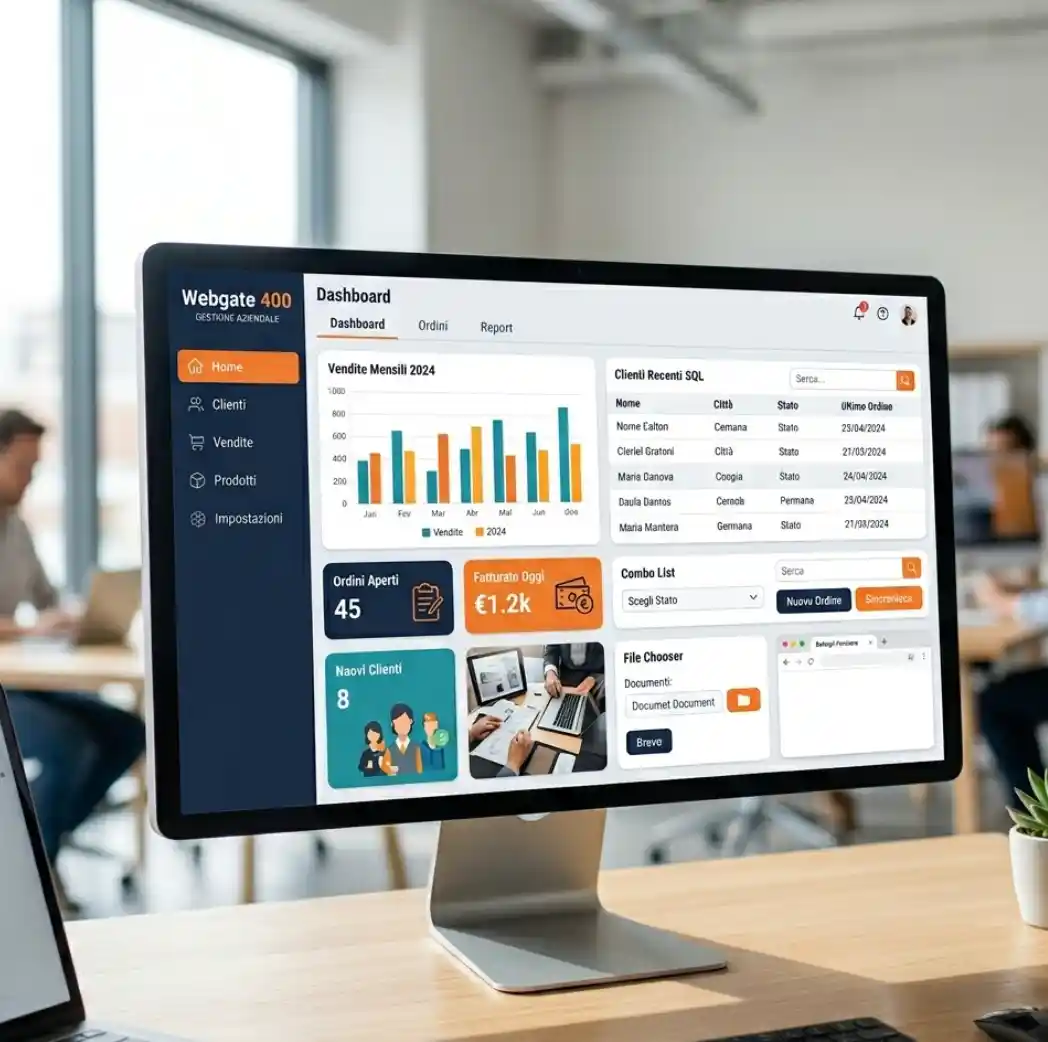
With an additional modernization step, you can enrich applications with graphical objects positioned wherever needed: Frames, Tabs, Images, Charts, Links, Icons, Button Images, Combo Lists, Search functions, LOB Fields, File Choosers, Browser Fields, SQL Objects, Tile Objects, and more.
Every screen can include customizations that do not require code changes: new queries, charts, tables generated by SQL, formulas, exit programs. Available elements include Command Service Custom, Data Downloader, Tabs, Synchronizations, XML Import, Generic Calculations, Graphic Panels, and much more.
webgate400 offers an updated, user-friendly design that can create screens in native graphical mode with DDS that can be compiled into display files, leaving SDA behind and eliminating text-based screens.

Navigate Between Programs Without Re-entering Data
Modernization also changes how users move through the application: from transaction-based to navigation-driven. With Command Service, you can attach native AS/400 programs, SQL statements, and PC executables to any application field, based on the field’s full or partial name and characteristics, passing static or dynamic parameters.
Command Services are divided into: More Info (double click), Generic (menu or toolbar), Link (link to Database Link), and Drag&Drop.
Evolution, Not Revolution
For nearly 25 years, one principle has guided us: don’t let technology turn you into a company that has to chase every new trend—stay focused on what you do best in your industry
Our role is to give you the tools to stay competitive, modern, secure, and scalable, without giving up what already works.